Cracks on an iPhone screen can lead to further damage and expensive replacements, which is why it’s essential to address the issue promptly. Apart from being unsightly, a cracked screen can affect your phone’s touchscreen function and even cause serious internal problems. Fortunately, you can replace a damaged screen yourself with the right tools and some patience. It’s crucial to assess the severity of the crack and your repair skills before deciding whether to repair it yourself or opt for professional service.
You must take precautions and follow specific steps when repairing an iPhone screen, such as handling the fragile display assembly and transferring critical components like the earpiece speaker and sensor to the new screen. Apple offers repair services that may be covered under warranty or AppleCare+, but it’s likely to involve a fee. Therefore, it’s essential to weigh the costs and convenience of each approach carefully.
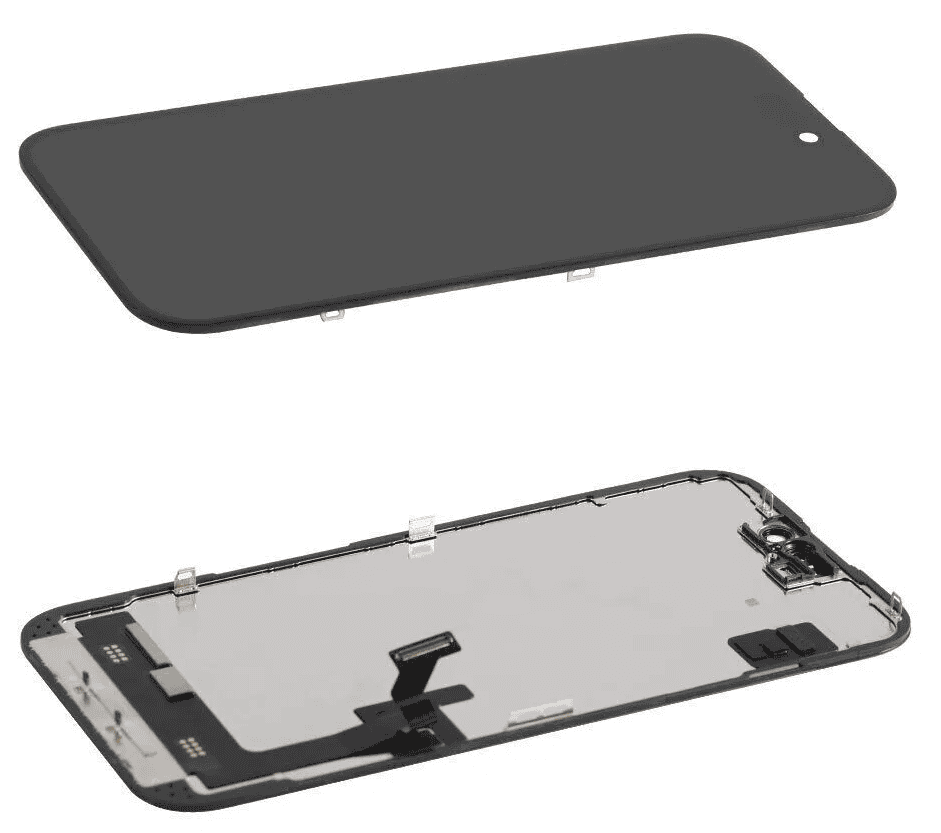
iPhone Screen Repair Options: DIY vs. Professional
Cracking your iPhone screen is a frustrating experience. You have a few options when it comes to repairing it, each with its own pros and cons.
DIY iPhone Screen Repair
Taking a do-it-yourself approach to fix your iPhone screen can save you money. However, it’s important to weigh the risks and benefits.
Professional iPhone Screen Repair
Taking your damaged iPhone to a repair shop provides a hassle-free solution. Here’s what you need to know:
Where to Get Professional iPhone Repair
Factors to Consider When Choosing Repair
Important: Always back up your iPhone before any repair attempt!
Key Takeaways
Understanding iPhone Screen Repair
When your iPhone screen gets damaged, knowing how to navigate the repair process is key. The right steps can save you both time and money, and get your device back in good working order.
Identifying Types of Screen Damage
Screen damage can range from minor scratches to a completely shattered screen. Small scratches may not affect the phone’s functionality, whereas a broken screen can cause touch issues or even make the phone unusable. Always assess for internal damage which may show up as discolored spots on the screen.
Warranty and Service Options
Check if your iPhone is covered byApple’s Limited Warranty,AppleCare+, or consumer law. AppleCare+ typically includes two instances of accidental damage protection. Without these, repairing an iPhone screen will incur a fee. Always get an estimate from your service provider beforehand.
Pre-Repair Steps
Before any repair, back up your data to iCloud or another cloud service. This makes sure you don’t lose any important information. If the touch functionality is compromised, backing up via a computer may be necessary.
Finding the Right Repair Option
You have a few repair options:
With each option, confirm the service fee and any additional costs to ensure it fits within your budget.
What You Need to Know About Screen Replacement
When your iPhone screen cracks or sustains damage, it can be a frustrating experience. Luckily, iPhone screen replacements are common and can restore your device to its former glory. Whether you’re dealing with a cracked screen, a malfunctioning digitizer (the component that registers touch), or other display issues, understanding your options is crucial.
DIY vs. Professional iPhone Screen Repair
One of the first decisions you’ll face is whether to attempt a DIY repair or seek professional assistance. While DIY kits are available, iPhone screen replacement requires precision and technical know-how. Mistakes during the process can lead to further damage or functionality issues.
If you’re comfortable with intricate repairs and have the necessary tools, a DIY approach might be feasible. However, for most users, entrusting the repair to a qualified technician is the safer bet. Authorized Apple service providers and reputable third-party repair shops offer expertise and warranties, ensuring your iPhone is repaired correctly.

iPhone Cracked Screen Replacement Guide
If you’re determined to tackle the repair yourself, here’s a general outline of the process:
Remember, this is a simplified overview. Numerous online resources provide detailed step-by-step guides with photos and videos. Consult these resources for specific instructions based on your iPhone model.
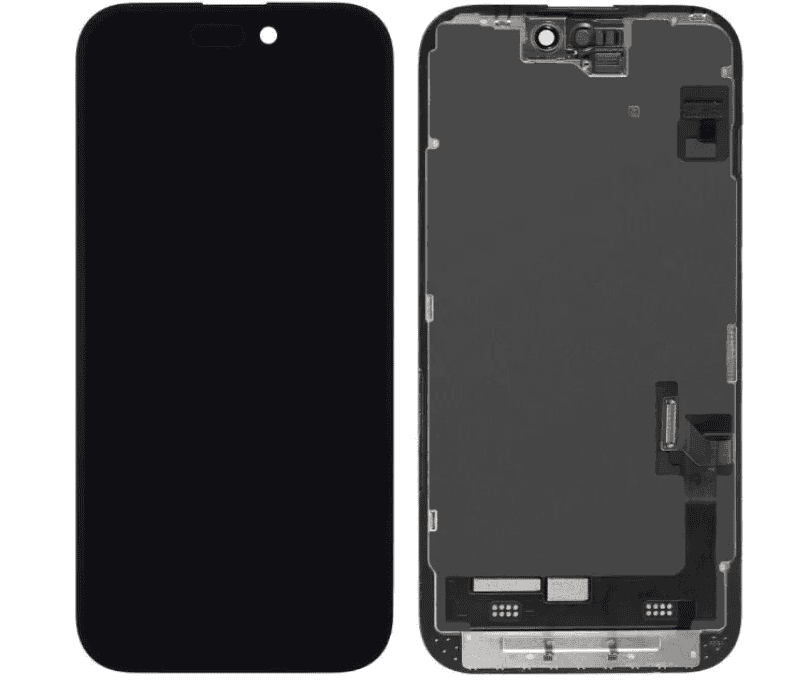
iPhone Digitizer Replacement: When is it Necessary?
The digitizer is the layer beneath the glass that senses touch input. If your iPhone’s screen is intact but touch functionality is erratic or unresponsive, the digitizer might be the culprit. Digitizer replacement is a more complex repair than a simple screen swap and often necessitates professional assistance.
Preventing iPhone Screen Cracks
Prevention is always better than cure. Here are a few tips to minimize the risk of screen damage:
By following these tips and taking prompt action when repairs are needed, you may keep your iPhone’s screen looking and functioning its best.
How much is it to fix an iPhone 15 screen? Can back screen of iPhone be replaced?
The cost to fix an iPhone 15 screen can vary depending on where you get it repaired and whether you have AppleCare+. As of now, Apple has not released official repair pricing for the iPhone 15. However, you can expect it to be similar to the iPhone 14 screen repair costs, which range from $279 to $379 for out-of-warranty repairs, depending on the model.
Yes, the back screen of an iPhone can be replaced, but it’s a more complex repair than a front screen replacement. Apple Authorized Service Providers and some third-party repair shops can perform back glass replacements. The cost can be higher than a front screen repair and may vary depending on the iPhone model and the extent of the damage.
Why are iPhone screens so expensive to replace?
iPhone screens are expensive to replace due to several factors:
Is it cheaper to get a new phone or replace the screen? Is it worth it to fix an iPhone screen?
The decision of whether to get a new phone or replace the screen depends on several factors:
In many cases, it is worth fixing an iPhone screen, especially if the phone is still in good overall condition. Repairing the screen can extend the life of your device and save you money compared to buying a new one. However, if the repair cost is close to the price of a new phone or your phone has other significant issues, upgrading might be the better choice.
Are replacement iPhone screens as good as original?
The quality of replacement iPhone screens can vary depending on the source and type of screen:
If you want the best possible quality and are willing to pay a premium, go for genuine Apple parts. If you’re looking for a more affordable option, consider OEM parts from a reputable supplier. Be cautious when buying aftermarket parts and research the seller and product reviews before making a purchase.
